All help pages
Get a Word, PowerPoint or Excel file
Turn any answer into a Word document or PowerPoint slides with one click, look inside it, and download it.
Make a Word document from an answer
- Under the answer, click Word.
- Wait a few seconds. A card appears under the answer with the file's name.
- Click Look inside to see it in a panel on the right, or Download to save it to your Mac.
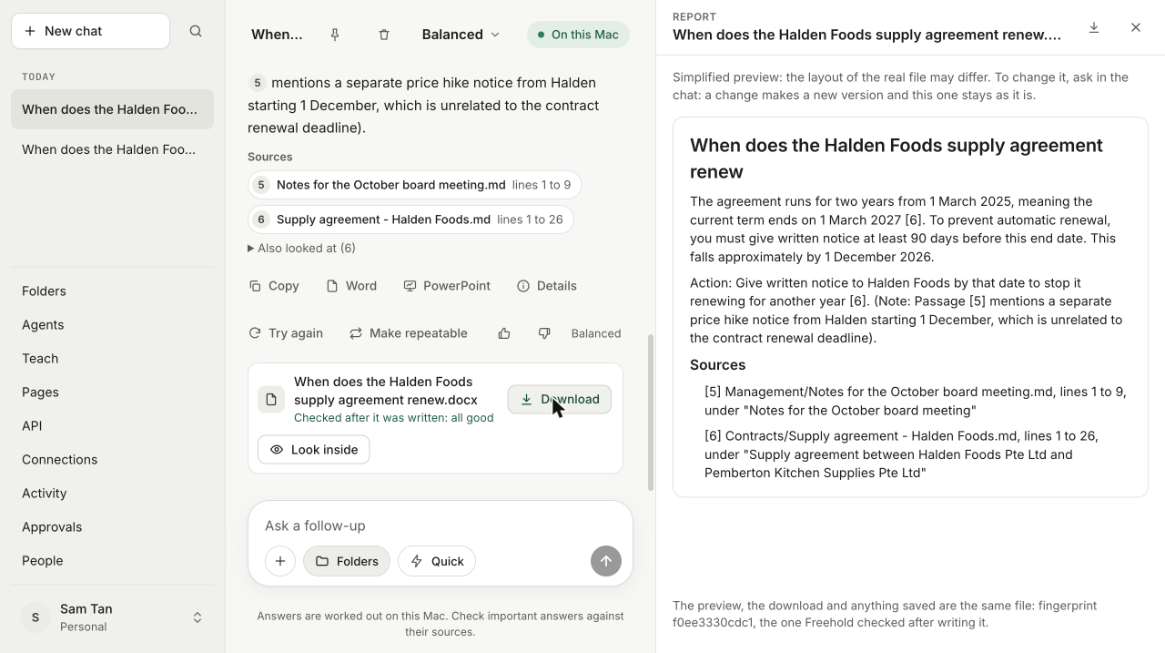
The document keeps the sources at the end, with the file and the lines each part came from.
The panel shows a simple preview. The real file can look slightly different in Word, with proper fonts and spacing. To change something, ask in the chat, for example "Make it shorter" or "Add a table of the dates". A change makes a new version, and the earlier one stays as it was.
Make PowerPoint slides
Click PowerPoint under an answer. Freehold makes a short deck from it, which you can look inside and download in the same way.
Ask for a file in your own words
You can also ask for a file directly:
Make a one-page Word report of the October board notes, with a short summary at the top.
Make a spreadsheet of the supplier payments in November, one row per supplier, with the total for each.
Where the files go
Files Freehold makes stay inside Freehold until you download them. Click Download and your Mac saves the file to your Downloads folder.
An agent can also save files into a folder you chose, but only after you approve it. See Approvals.
Charts and breakdowns of a table
Ask for a chart or a breakdown of a spreadsheet or CSV file, and Freehold works out the figures over every row and shows them on an interactive page you can sort and filter. Keep a page with the pin at its top, and find it again in Pages on the left. The page can be turned into a workbook, a deck or a report.
Make a chart of revenue and net profit for each month in 2026.
The AI writes a small query, and Freehold runs it in a sealed area that can't reach the internet, your files or the rest of Freehold. You can switch this off in Settings, General, Let Freehold make interactive pages. With it off, answers come without pages.
Does something here not match what you see? Tell us, and say which page.