All help pages
Ask your first question
Type a question, get an answer that shows which of your files it came from, and ask a follow-up. Plus the difference between Quick answers and answers where it thinks first.
Ask a question
- Click New chat in the top-left corner.
- Click in the box that says Ask anything, or drop files here, and type your question in everyday words.
- Press Return, or click the round arrow button on the right.
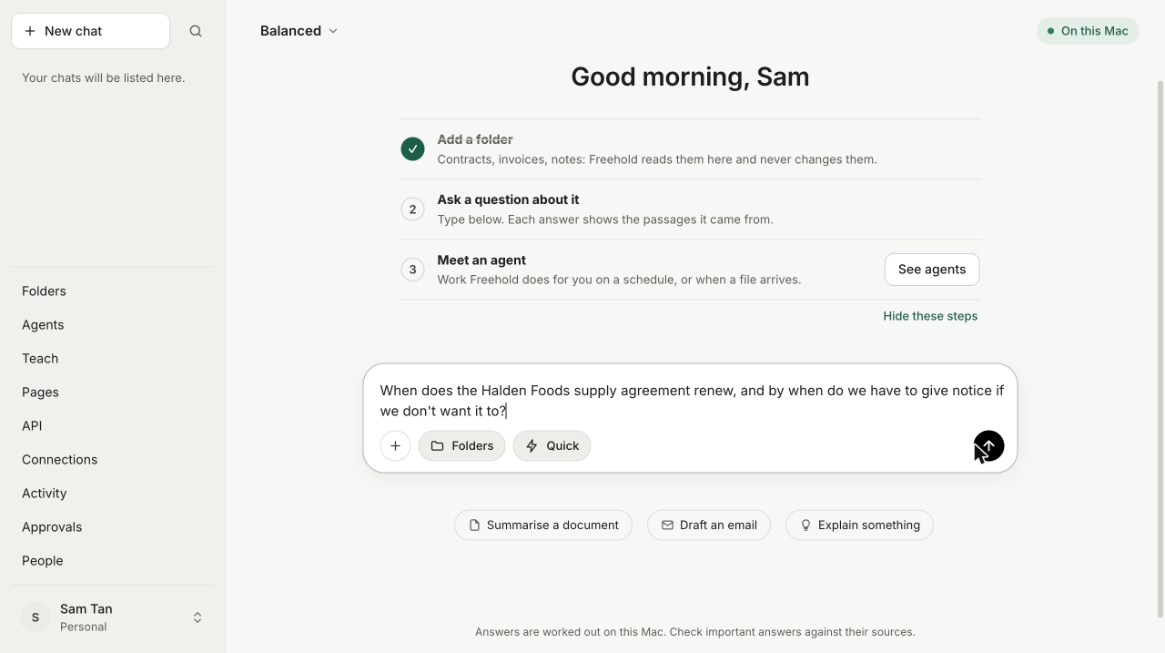
Try one of these if you've added the made-up sample files, or something similar about your own documents:
When does the Halden Foods supply agreement renew, and by when do we have to give notice if we don't want it to?
Summarise our returns and refunds policy in three bullet points.
On the home screen, click Try it with made-up sample documents. Freehold adds a few invented files, clearly named "Sample", so you can try it straight away.
Read the answer and check where it came from
The answer appears word by word. Under it, Sources lists the files it used. The small numbers in the answer tell you which source each part came from.
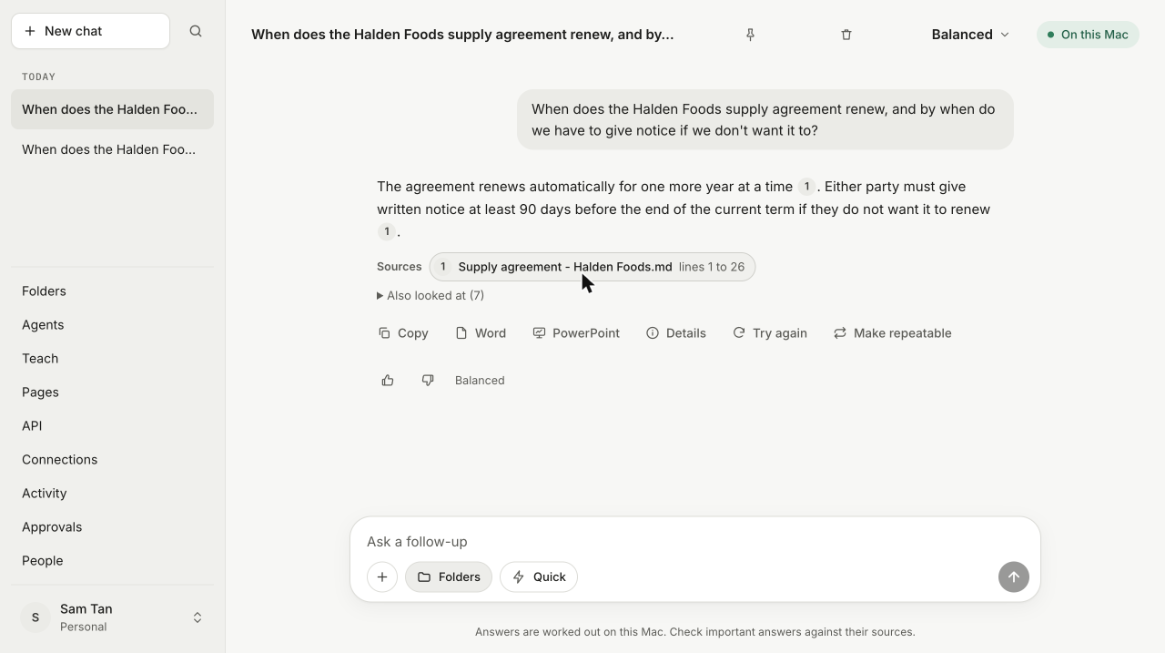
Click a source to see the exact passage, highlighted, in a panel on the right. Use this to check anything important.
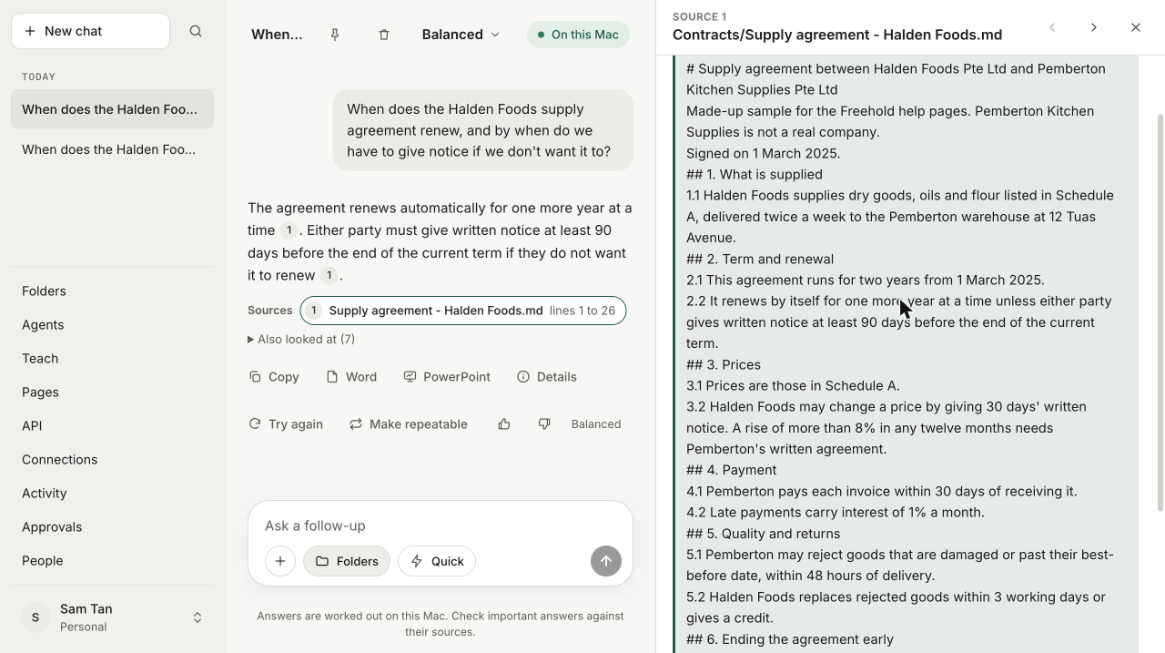
Even with sources, a model can misread a document or get a date wrong. Always check important answers against the source before you act on them. If nothing in your folders answers the question, Freehold says so rather than guessing.
Ask a follow-up
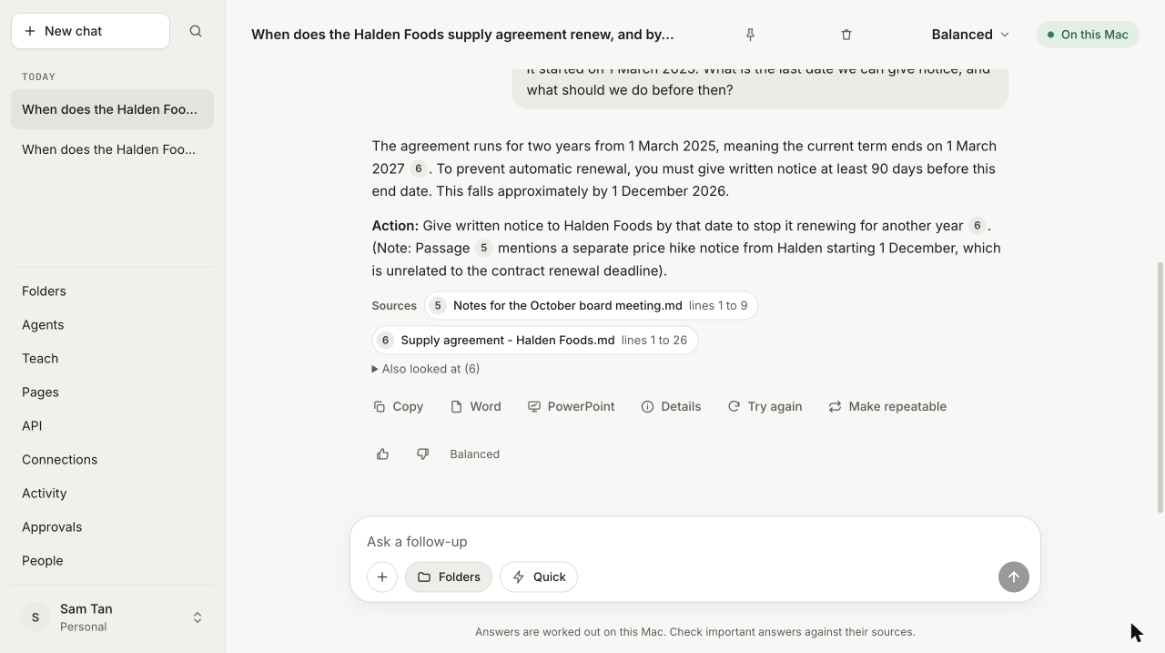
Type in the Ask a follow-up box at the bottom. Freehold remembers the rest of the chat, so you don't have to repeat yourself.
Quick answers, or let it think first
The Quick button in the message box changes how the model works:
| Quick on | Quick off (thinks first) | |
|---|---|---|
| Speed | Starts answering in seconds | Can take a minute or more before it starts |
| Best for | Simple questions, summaries, finding something | Dates, sums, comparing several documents, anything with steps |
While it thinks, you see Thinking…. You can leave the chat and come back: the answer keeps going.
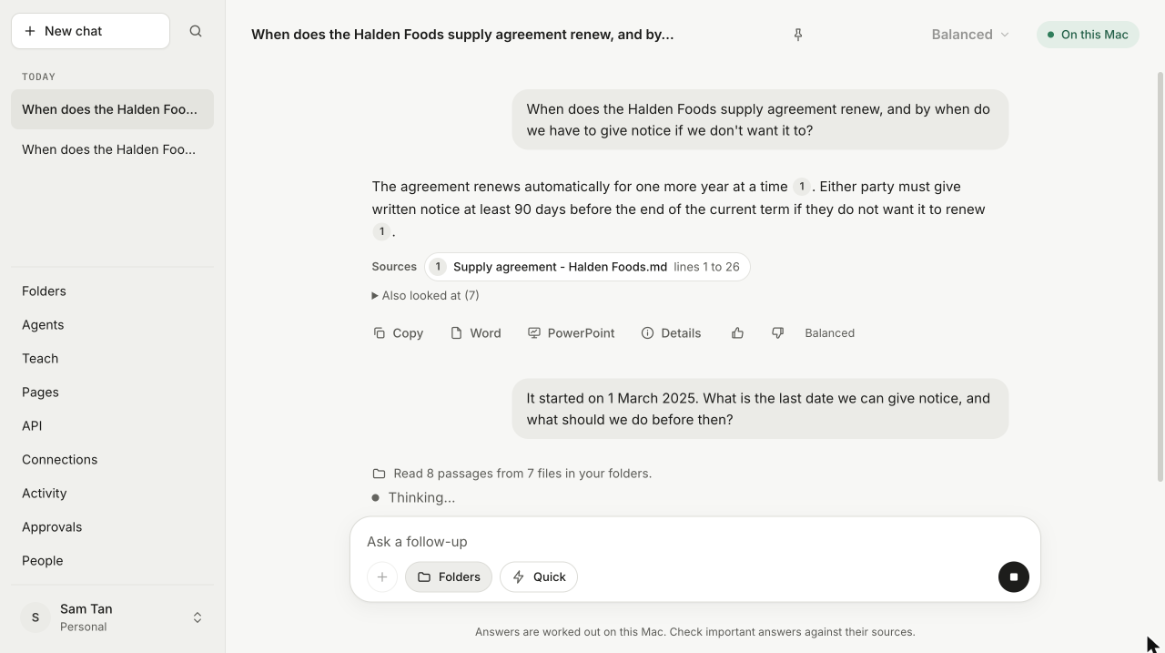
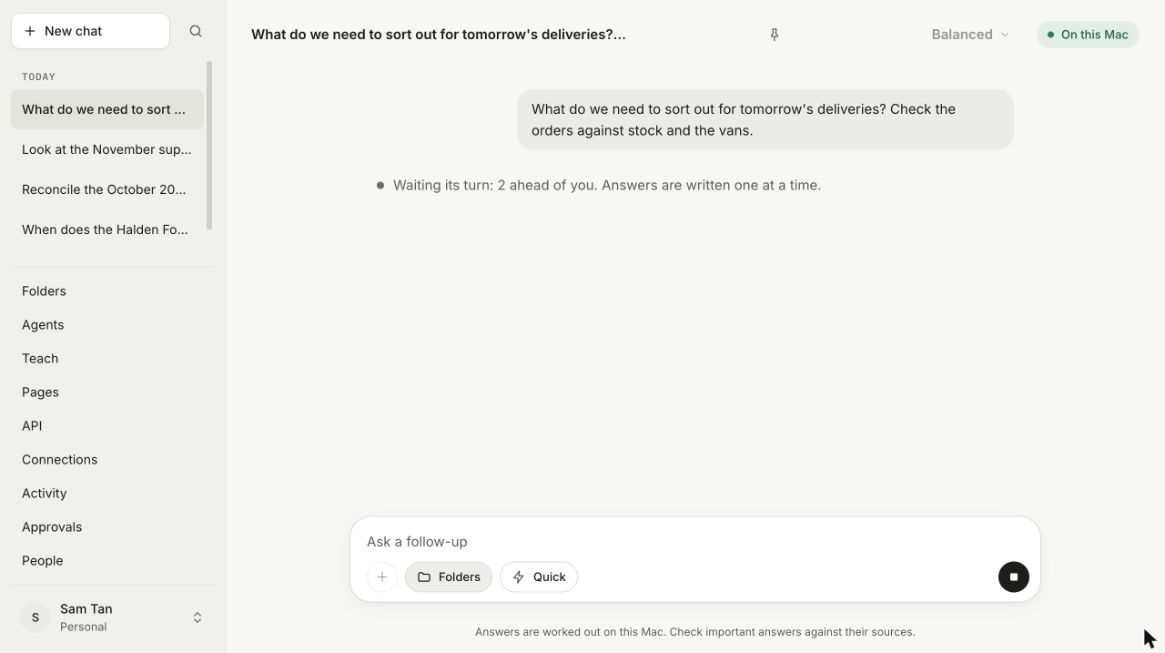
Freehold writes one answer at a time, so your Mac isn't overloaded. If you ask several questions at once, or a colleague is using it, the others wait. The message shows how many are ahead.
The buttons under every answer
| Button | What it does |
|---|---|
| Copy | Copies the answer, to paste into an email or a document |
| Word | Makes a Word document of the answer. See Get a Word, PowerPoint or Excel file |
| PowerPoint | Makes slides from the answer |
| Details | Shows which model answered, how long it took, and what it read |
| Try again | Writes the answer again |
| Make repeatable | Turns this kind of request into an agent you can run again. See Agents |
| 👍 and 👎 | Tell Freehold which answers were good. Good ones can teach it your house style. See Teach Freehold |
Find an old chat
Your chats are listed on the left, newest first. Click the magnifying glass next to New chat to search them by title. The pin and bin icons at the top of a chat keep it at the top of the list, or delete it.
Does something here not match what you see? Tell us, and say which page.