All help pages
Ready-made recipes for everyday work
Eight things teams use Freehold for, each with the files to add and the words to type. Finance, operations, fraud checks, contracts, customer support, HR, sales and management.
Each recipe says which files to add as a folder (see Add a folder) and what to type. The screens show made-up files from an invented company, Pemberton Kitchen Supplies, so you can see what to expect.
These are the kinds of answers Freehold gives. Read each one, and check anything important against its sources before you rely on it. Where a recipe below shows a mistake, it's there on purpose, so you know what to look for.
Finance: reconcile the bank with the ledger
Add: your bank statement and your ledger for the month, as CSV or Excel exports.
Use the Finance agent (see Agents): click Run, type what to do, and choose the two files.
Reconcile the October bank statement with the October ledger.
It makes three tables: lines that match, lines only in the bank statement, and lines only in the ledger, with an Excel workbook.
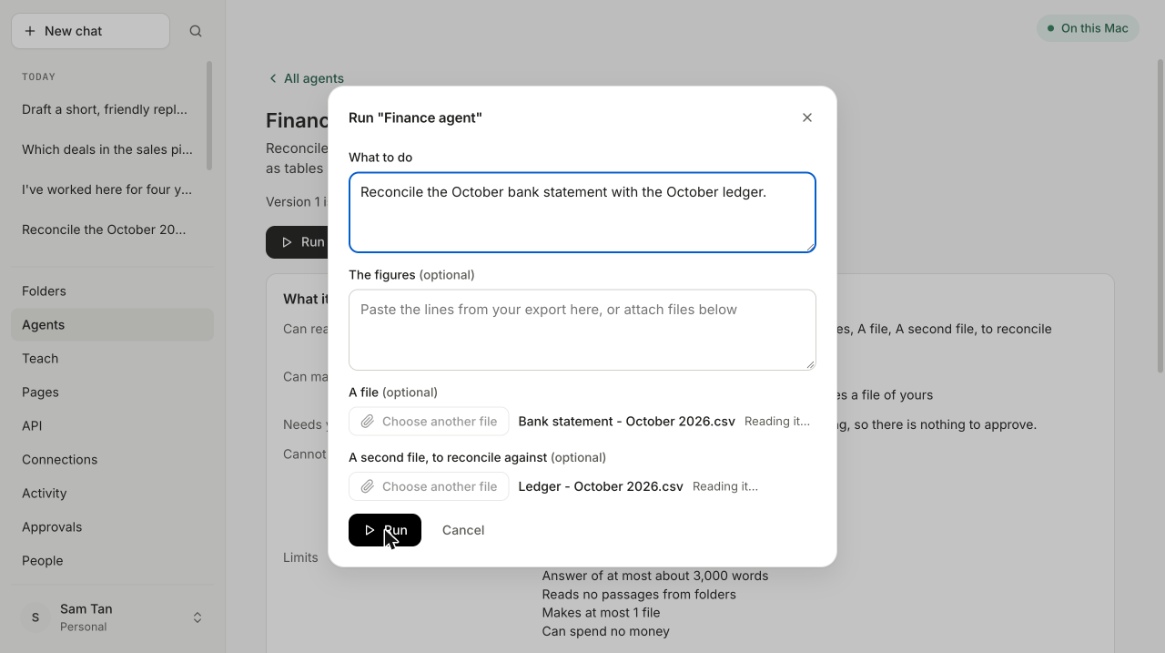
In our test with the Balanced model, the agent found the payment typed wrongly in the ledger (1,420 in the bank, 1,240 in the ledger). But it missed a SGD 35 bank charge and a payment entered twice. Use its tables as a starting point for a qualified person, never as the finished reconciliation. A larger model, such as Best, makes fewer mistakes.
Operations: a morning brief
Add: tomorrow's orders, stock levels, and notes about drivers and vans.
What do we need to sort out for tomorrow's deliveries? Check the orders against stock and the vans.
Freehold compares what was ordered with what is in stock, and flags shortfalls and vans that aren't available.
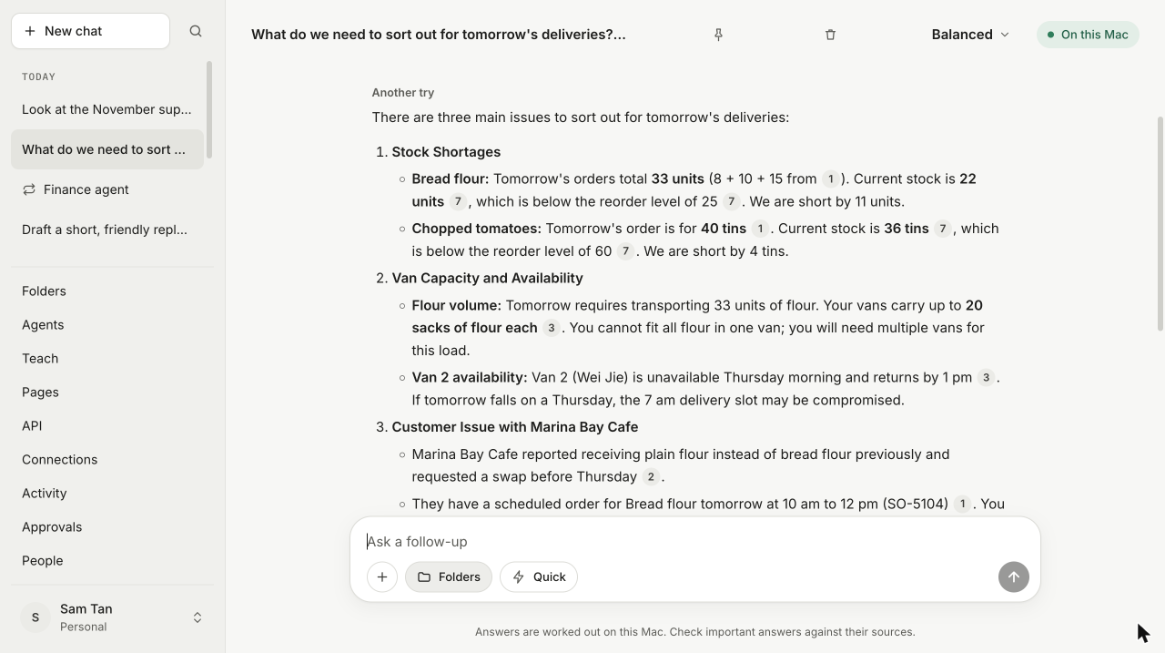
To get this every morning without asking, click Make repeatable under the answer, then set the agent to start by itself. See Agents.
Fraud checks: payments a person should look at
Add: a list of payments, and your payment rules written down in a document.
Look at the November supplier payments and our payment rules. Which payments should a person check, and why?
Freehold checks each payment against your written rules and says which ones a person should look at, and why.
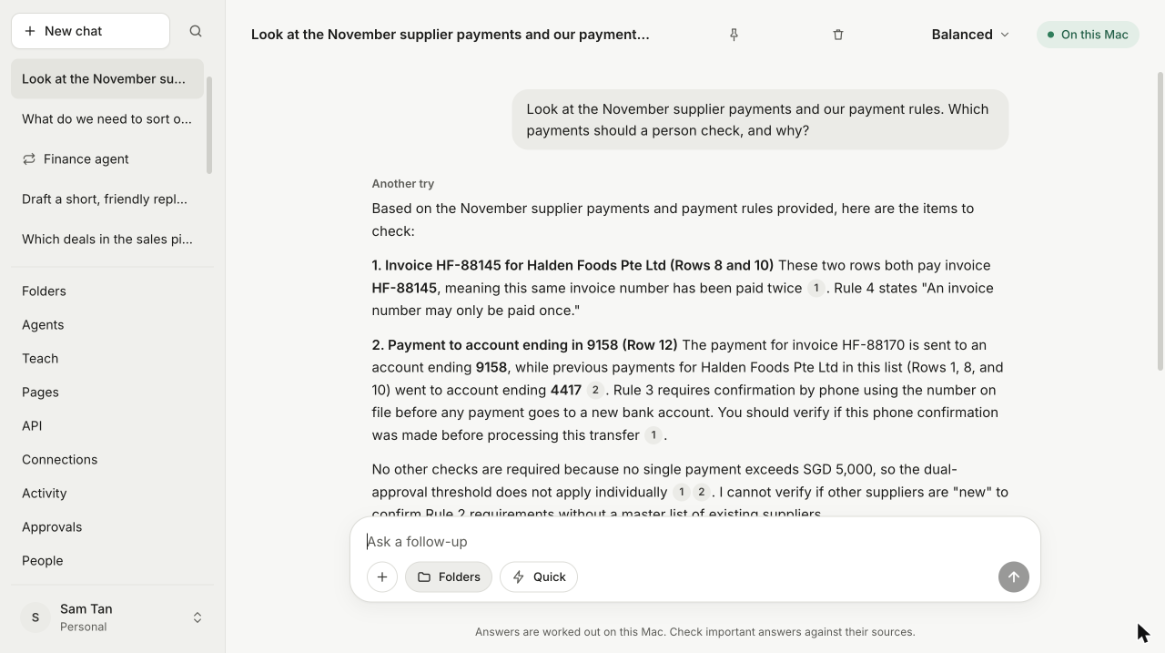
It only checks the rules you give it. In our test it didn't flag three payments to one supplier, each just under the SGD 5,000 limit for two approvers: no written rule said that splitting a payment wasn't allowed, and it said it couldn't tell whether the supplier was new. Write down every rule you want checked, and add a list of your existing suppliers.
Freehold flags payments for a person to look at. It never decides that something is fraud. There is often an innocent explanation. For a predictor trained on your own past cases, see Teach Freehold.
Contracts: answers with the clause they came from
Add: your contracts, as PDF or Word files.
When does the Halden Foods supply agreement renew, and by when do we have to give notice if we don't want it to?
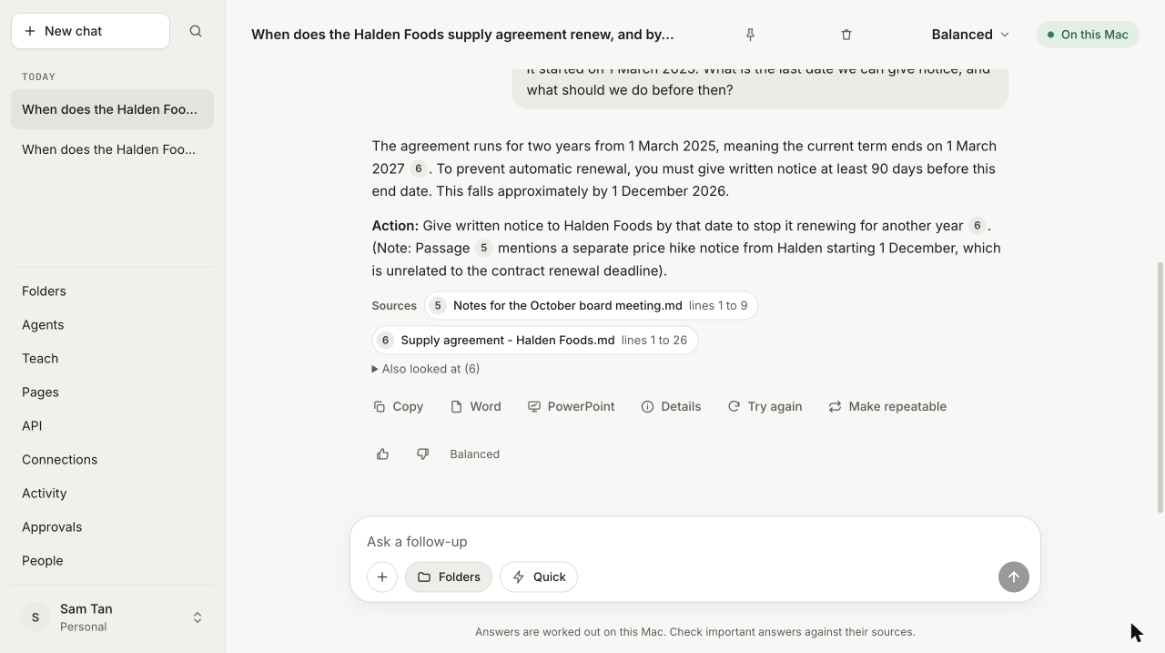
Click a source number to see the exact clause. Freehold is not a lawyer: for anything with legal consequences, ask one.
Customer support: a reply to check and send
Add: your policies (returns, delivery, refunds) and the customer's message.
Draft a short, friendly reply to Marina Bay Cafe about the wrong flour they received, using our returns and refunds policy.
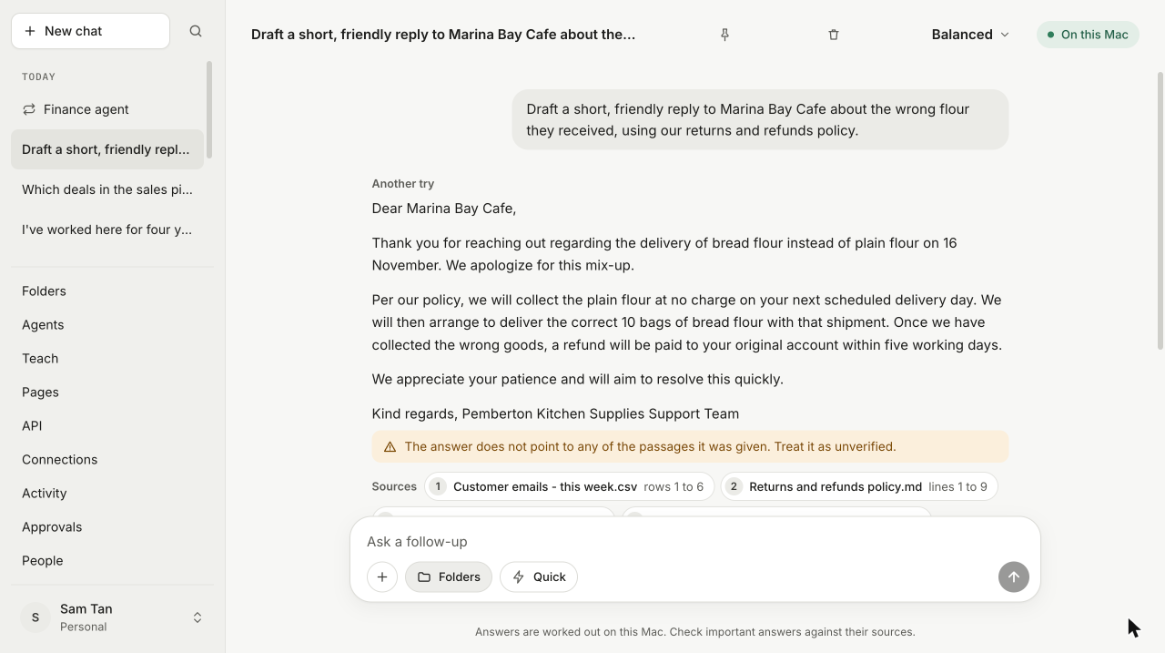
Edit the draft before you send it. Freehold never sends it for you. For many replies, use the Reply to a customer agent.
HR: answer staff questions from your handbook
Add: your staff handbook and policies.
I've worked here for four years. How many days of annual leave do I get, and how many unused days can I carry into next year?
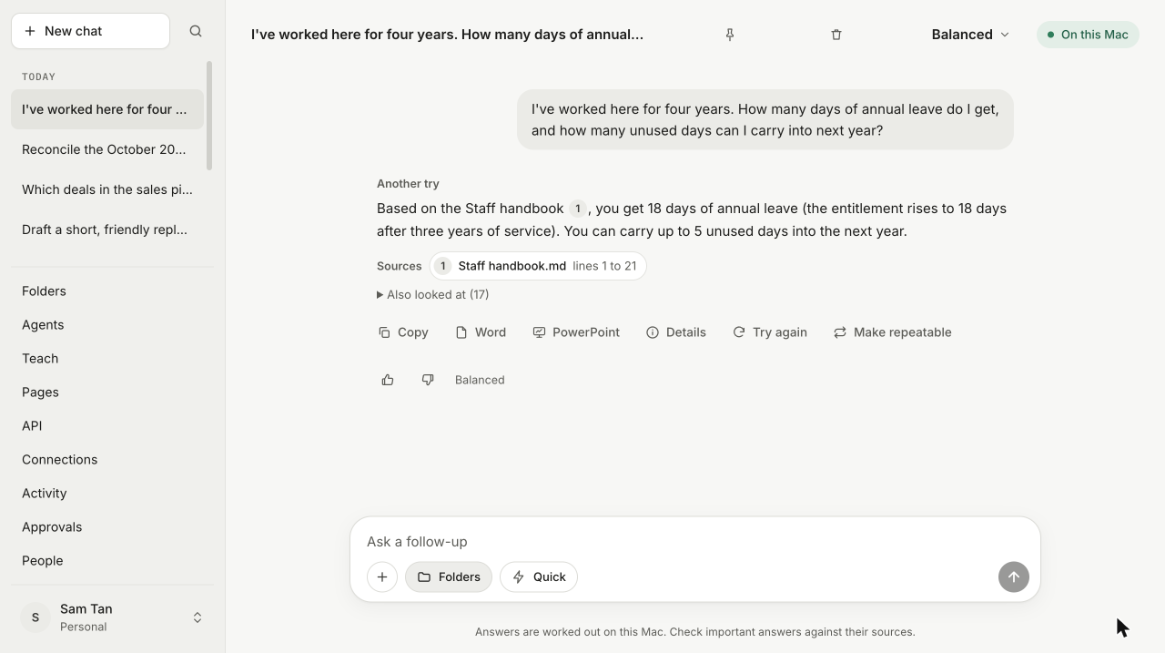
To let staff ask for themselves, put the handbook in a shared workspace and invite them. See Invite your team.
Sales: which deals need a follow-up
Add: an export of your sales pipeline, with the date of the last contact.
Today is 21 November 2026. Which deals have had no contact for more than two weeks?
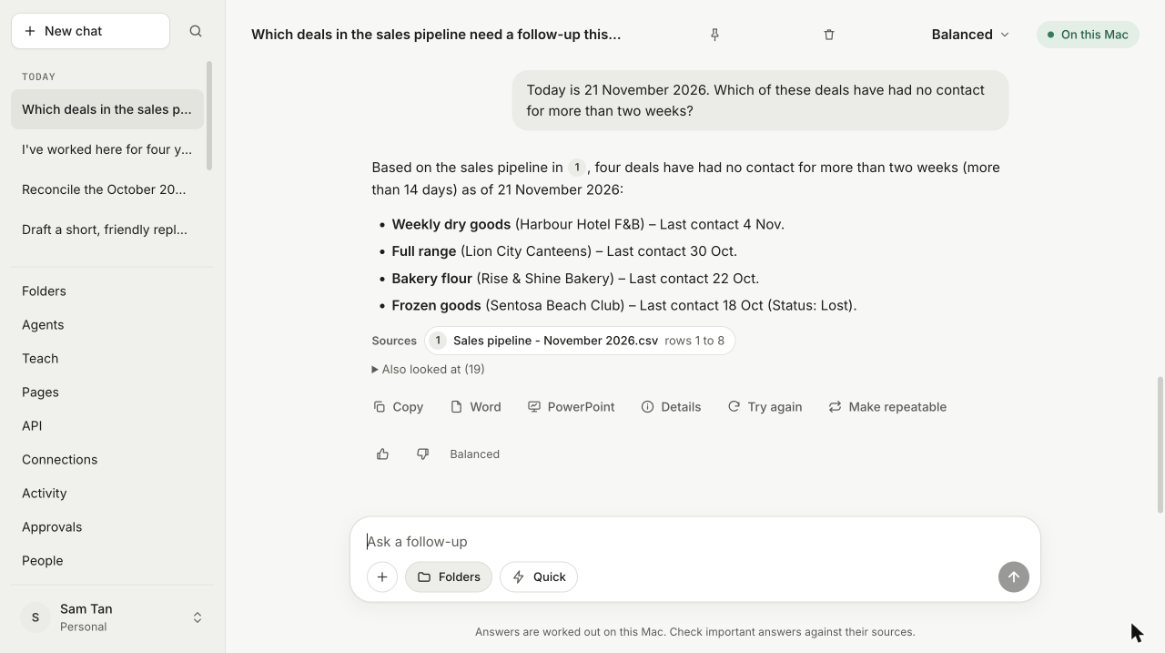
Freehold's model doesn't know today's date unless you say it. For anything like "this week" or "overdue", start with the date, as above.
Management: a board pack
Add: monthly results, and notes for the meeting.
Make a one-page summary of October for the board: results compared with September, and the decisions we need to take.
Then click Word or PowerPoint under the answer for a document or slides. See Word, PowerPoint and Excel files.
For charts of the monthly figures:
Make a chart of revenue and net profit for each month in 2026.
Does something here not match what you see? Tell us, and say which page.