All help pages
Choose your AI model
The model is the part of Freehold that reads and writes. Pick one that fits your Mac's memory, download it once, and it then works without the internet.
What a "model" is, in one minute
An AI model is a large file that has learned how to read and write. ChatGPT and Claude use models that run in big data centres. Freehold uses open models: models their makers let anyone download and run. Freehold runs yours on your Mac, so your questions and files never leave it.
Bigger models give better answers but need more memory and are slower. Freehold suggests one that suits your Mac.
The first time: download a model
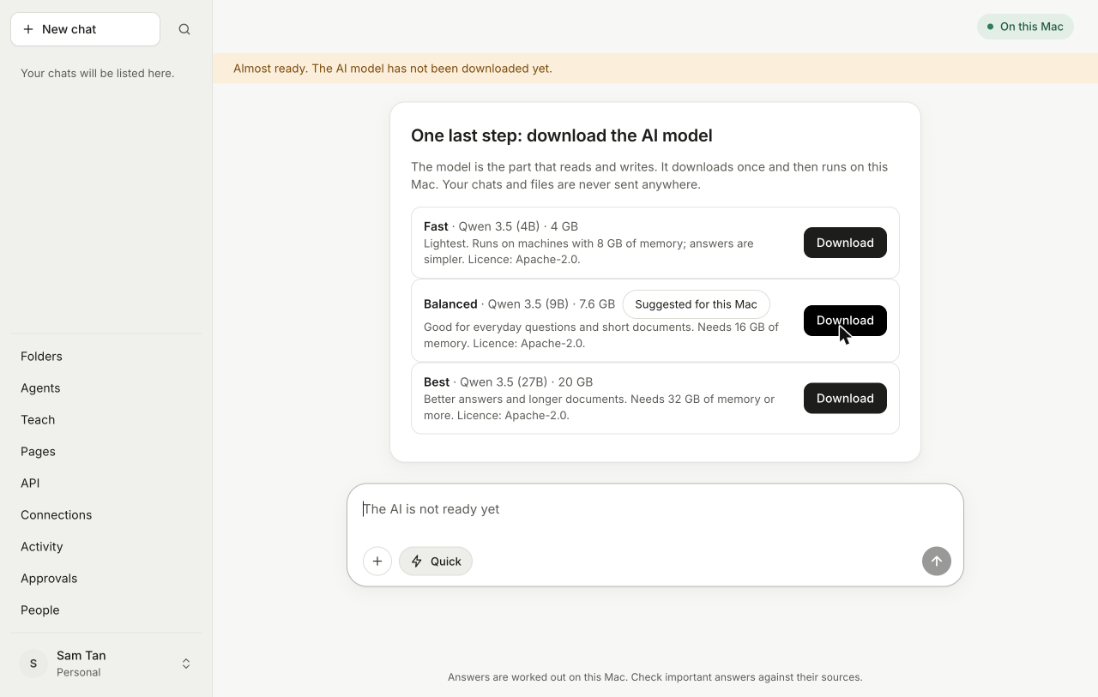
On a new Freehold, the home screen asks you to download a model before your first question. It offers the three tested sizes and marks the one that suits your Mac.
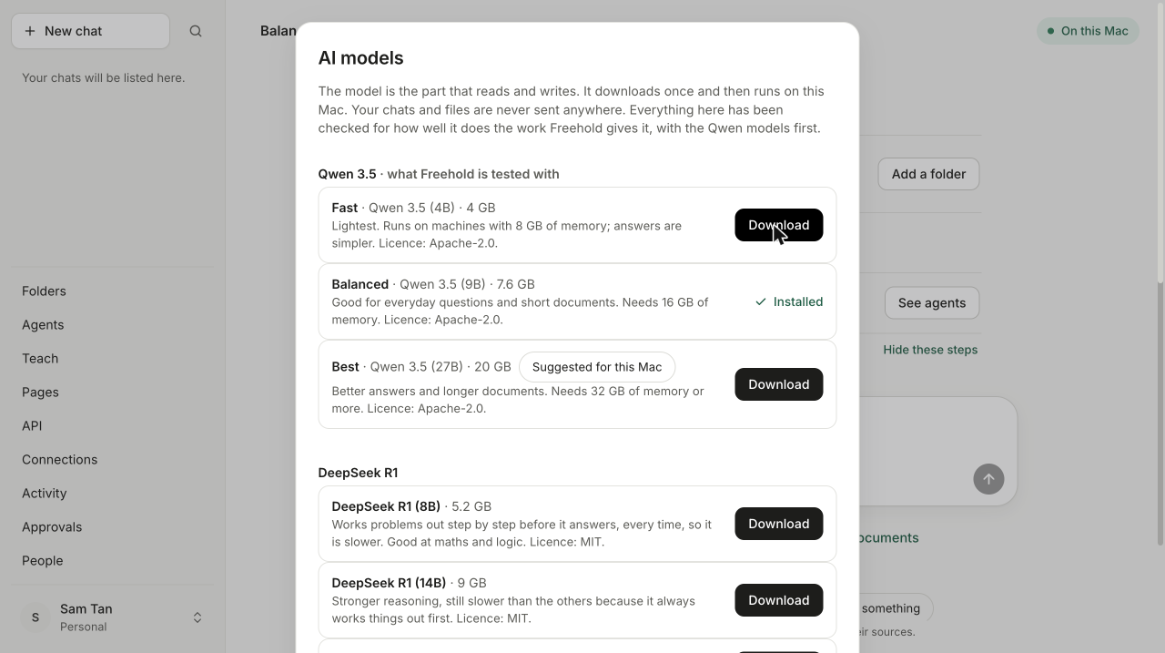
Open the list of models later
- Click the model name at the top of the chat screen, for example Balanced.
- Click Get more models… at the bottom of the menu.
You can also get there from the menu with your name in the bottom-left corner: AI models…
Which one should I pick?
| Your Mac's memory | Pick | Size to download |
|---|---|---|
| 8 GB | Fast (Qwen 3.5, 4B) | 4 GB |
| 16 GB | Balanced (Qwen 3.5, 9B) | 7.6 GB |
| 32 GB or more | Best (Qwen 3.5, 27B) | 20 GB |
Freehold is tested with the three Qwen 3.5 models first. Start with one of those. The others are good for particular jobs:
- DeepSeek R1 works problems out step by step before it answers. It is slower, but good at maths and logic.
- Gemma 4 is Google's open model. The small one can also read pictures.
- Ministral 3 is Mistral's model. It answers straight away.
To check your Mac's memory: Apple menu (the Apple logo, top left), About This Mac, the line called Memory.
Download it
- Click Download next to the model you want.
- Wait while it downloads. A bar shows how far it has got. You can keep using your Mac.
- When it says Installed, it's ready. You don't need the internet for it any more.
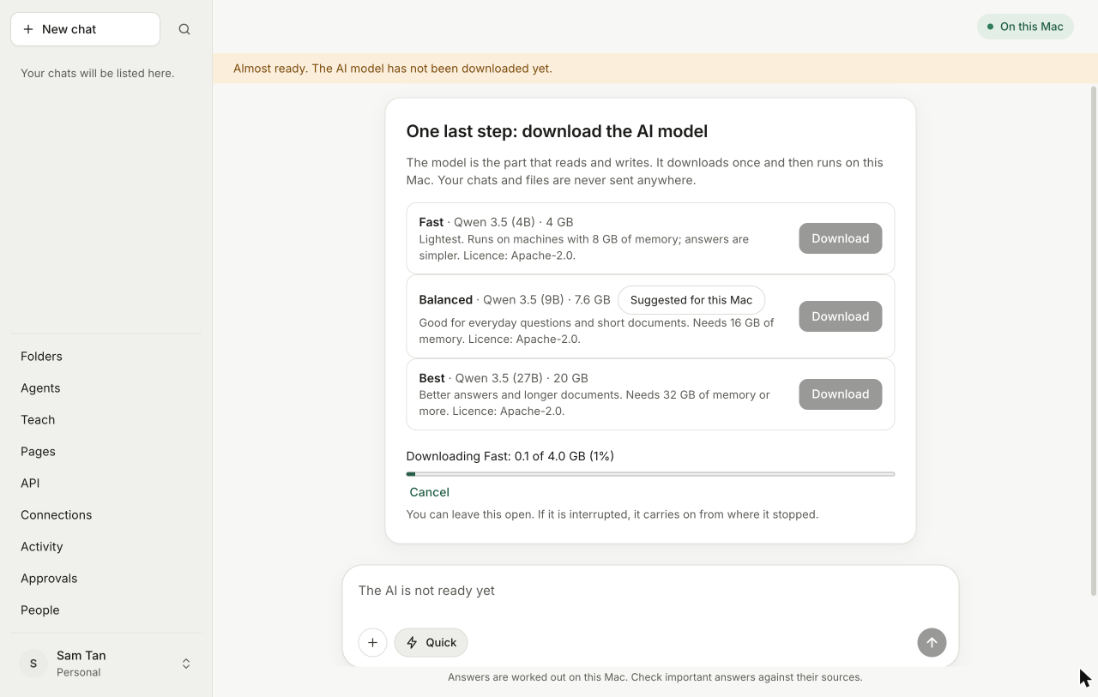
It depends on your internet connection. On a fast home or office connection, the Balanced model (7.6 GB) usually takes 5 to 15 minutes. On a slow connection it can take over an hour. It only happens once.
From Ollama's public model library, which Freehold uses to fetch models. Ollama sees your internet address and which model you chose, as with any download. Your questions and files are never sent. Each model has its own licence, shown in the list, from the company that made it.
Switch between models
If you have more than one, click the model name at the top of the chat screen and choose another. The next answer uses it. Your chats and folders stay the same.
Add a model that isn't in the list
At the bottom of the list, Add another model by its name in the Ollama library lets you type the name of any model from ollama.com. Freehold only accepts models that can run on your Mac. It hasn't been tested with them, so start with the list above.
Does something here not match what you see? Tell us, and say which page.