All help pages
Set up your workspace
Create the owner account for your Mac, accept the terms, and save the recovery code: the only way back in if you forget your password.
The first time Freehold opens, it asks you to create the owner account. The owner is the person in charge of this copy of Freehold. Usually that's you.
1. Create the owner account
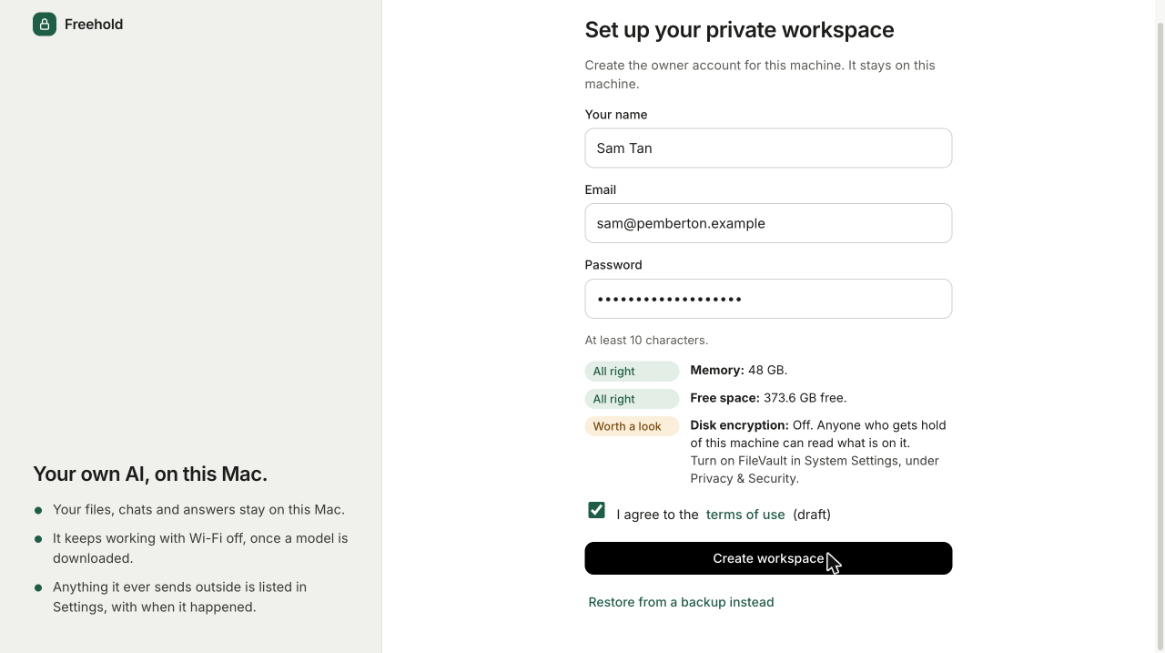
- Type your name. Freehold uses it to greet you.
- Type your email address. Freehold never sends you email: it only uses it to sign you in.
- Choose a password of at least 10 characters. Write it down somewhere safe.
- Read the three checks under the password:
- All right in green means that part is fine.
- Worth a look in yellow means Freehold will still work, but something could be better. Read the words next to it.
- Tick I agree to the terms of use. Click terms of use first if you want to read them.
- Click Create workspace.
This means anyone who takes your Mac could read the files on it, including what you keep in Freehold. To fix it, turn on FileVault: Apple menu (the Apple logo, top left), System Settings, Privacy & Security, FileVault, Turn On. It is part of macOS and costs nothing.
2. Save your recovery code
Next, Freehold shows a recovery code: five groups of letters and numbers.
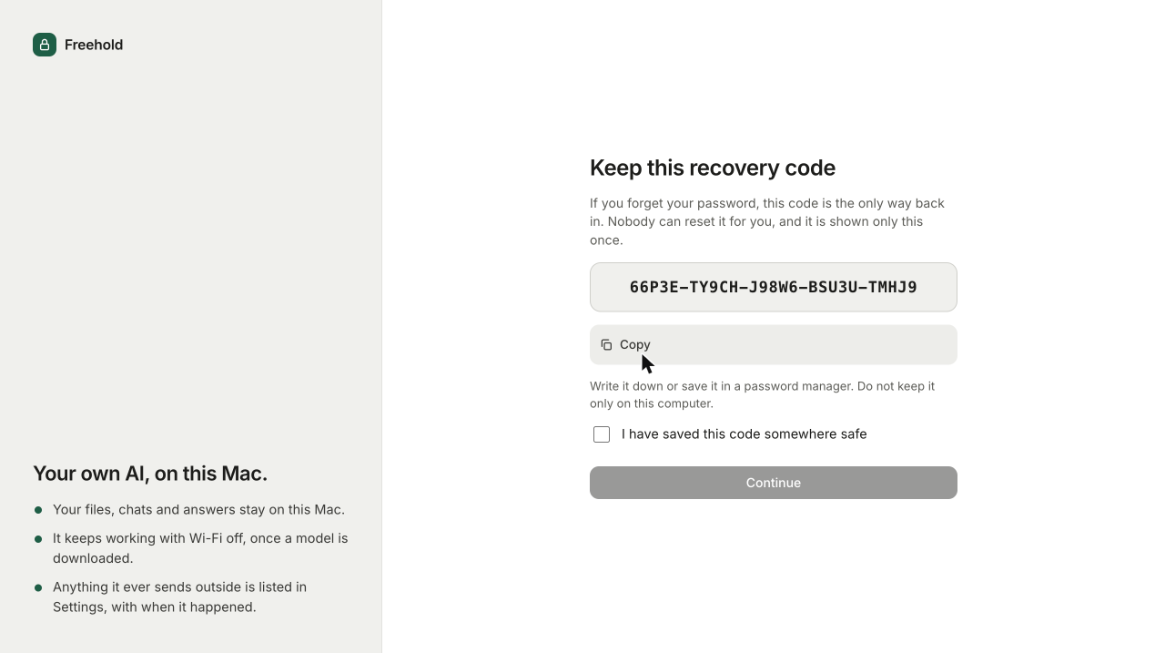
If you forget your password, this code is the only way back in. Nobody can reset your password for you, not even us: Freehold sends no email and has no back door. If you lose both the password and the code, your Freehold can't be opened again.
- Click Copy and paste the code into your password manager, or write it on paper and keep the paper somewhere safe.
- Tick I have saved this code somewhere safe.
- Click Continue.
You can check the code, or make a new one, at any time: see Password and recovery code.
3. You're in
Freehold opens on the home screen, with three first steps. Freehold already has an AI model if you see a model name, such as Balanced, at the top. If it asks you to download one, see Choose your AI model.
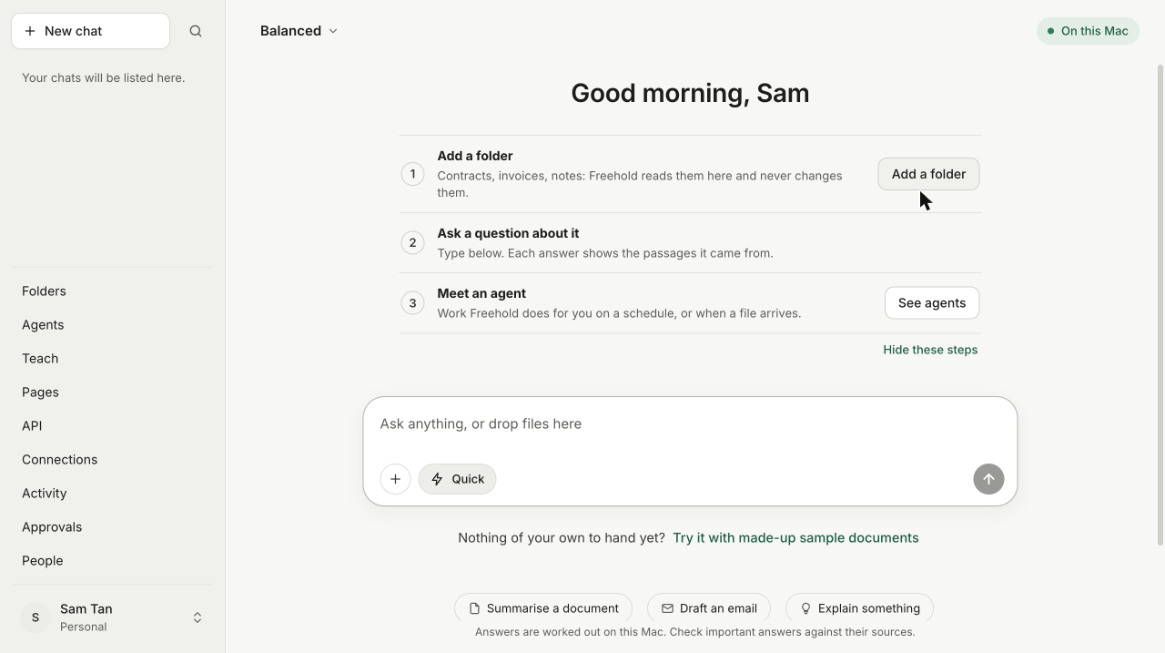
What to do next
- Choose your AI model, if Freehold asks for one.
- Add a folder of your own documents.
- Ask your first question.
Does something here not match what you see? Tell us, and say which page.